
Secure Docs
CDK • Comprehend • Bedrock • LLM • AWS Lambda • DynamoDB • S3 • SNS • SES • GitHub Actions • Serverless • IaC • Event-driven architecture
SecureDocs is a demonstration project for automating the initial verification of uploaded documents. It is designed to encapsulate the full business workflow for validating and screening incoming documents before they are accepted for further processing.
The primary challenge SecureDocs addresses is the necessity for a unified method to handle the uploading and primary screening of incoming documents across various company departments. To guarantee isolation between different organizational units, the architecture assumes that a dedicated construct is created and deployed for each individual department.
The following diagram illustrates the key components and their interaction within the SecureDocs project.
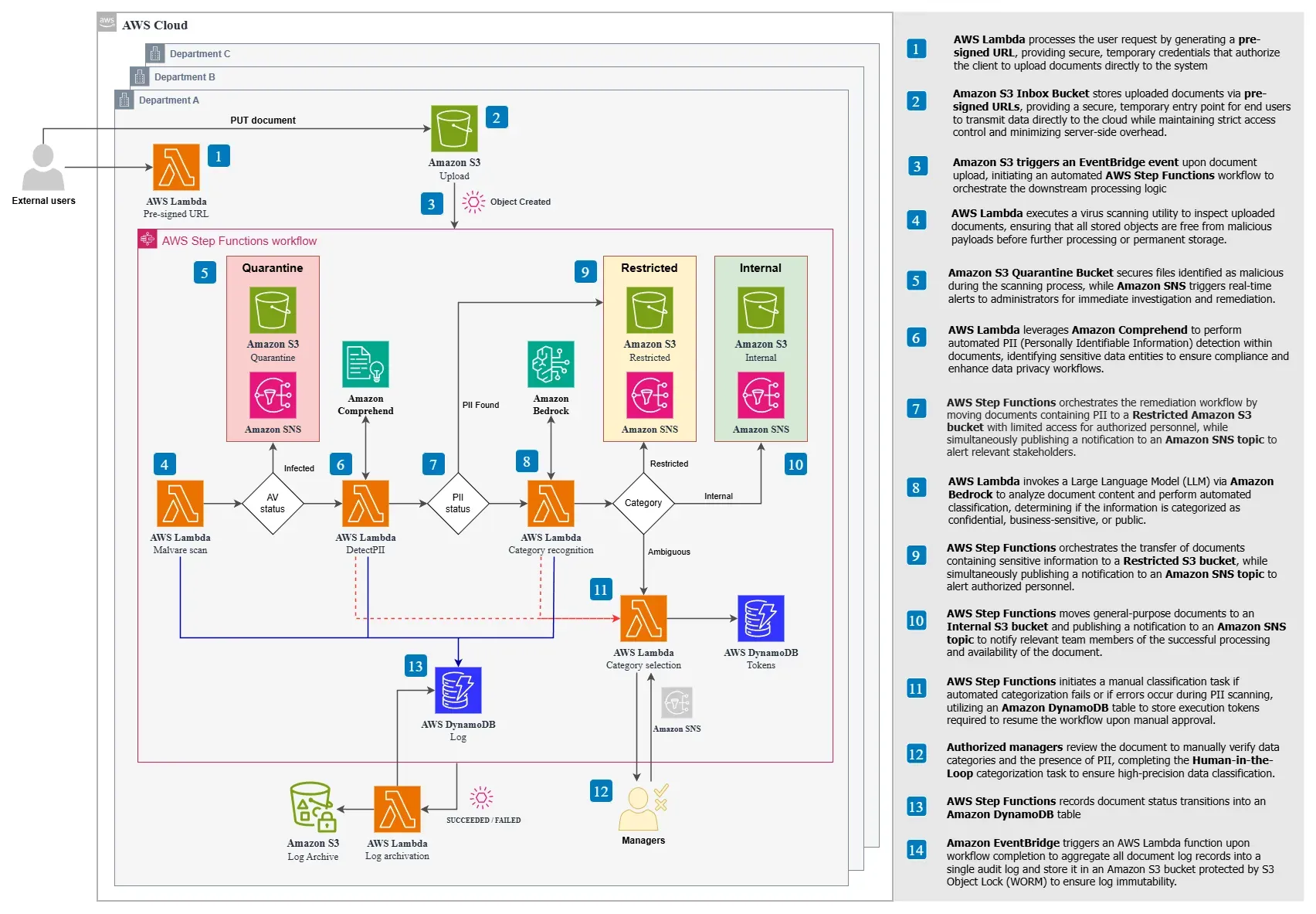
To maintain strict isolation of documents across different stages of their lifecycle, the construct provisions several specialized Amazon S3 buckets:
Upon successful upload to the Upload bucket, an Amazon EventBridge event initiates an orchestration workflow implemented using an AWS Step Functions state machine, as shown in the diagram below:
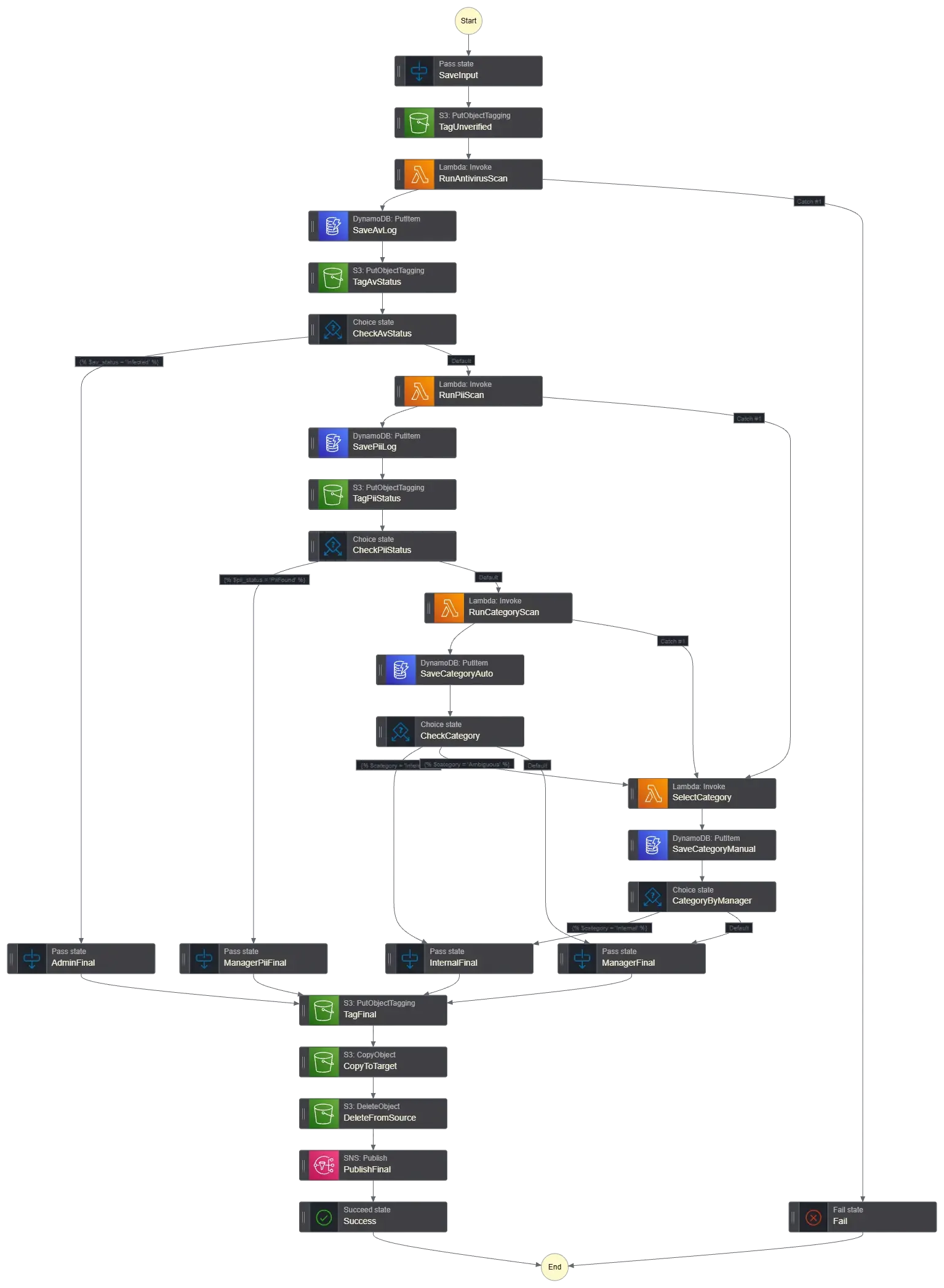
In cases where the LLM returns an "Ambiguous" classification, the automated flow is paused and the document is assigned to a manager for manual review. An AWS Lambda function sends a message to the managers containing a token required to continue the workflow. Once the manager determines the correct category and completes the task, the document is transferred to either the Internal or Restricted bucket, triggering a final SNS notification. The Step Functions execution then completes.
Additionally, if an error is encountered during either the PII scanning phase or the LLM categorization phase, the task is automatically routed to a manager for manual evaluation.
Throughout the processing pipeline, documents are enriched with specific metadata tags reflecting their verification status:
Throughout the document lifecycle, the system records audit events in a dedicated Amazon DynamoDB table. These events capture key actions such as document upload, malware scan results, classification decisions, and manual review outcomes.
Upon workflow completion, all audit events for the document are consolidated into a single audit log and stored in an Amazon S3 bucket with S3 Object Lock (WORM) enabled, ensuring the log remains immutable and tamper-resistant for compliance.